The Steam Deck ships with more of its essentials than most people realize: every OLED model comes with a carrying case and a 45W charger. The accessories worth your money are the ones that change what it can do: play on a TV, hold more games, last a flight.
The short answer: for most owners, that means Valve’s $79 Docking Station (or JSAUX’s cheaper HB0609 if you only need one screen), a Samsung PRO Plus microSD card, and Anker’s 737 power bank for travel. Add the new Steam Controller only if you play docked and keep your library inside Steam.
How this post was made: researched and written with Claude, an AI assistant, checked against the sources linked in this post, and overseen by Nersing Pradhan. How we make NP Handhelds
As an Amazon Associate, NP Handhelds earns from qualifying purchases. Some links on this page are affiliate links; they never change a pick, and our affiliate disclaimer explains how it works.
The quick picks
| Pick | Best for | Why it won | Price (maker, November 2026) |
|---|---|---|---|
| Valve Steam Deck Docking Station | TV and desk setups | Two displays, Ethernet and three USB-A ports, built for the Deck | $79 on Steam |
| JSAUX 6-in-1 Docking Station (HB0609) | One TV on a budget | HDMI 2.1 at up to 4K 120Hz for about half the price | $39.99 on sale at JSAUX |
| Steam Controller (2026) | Docked play in Steam | Trackpads, gyro and drift-resistant TMR sticks | $99 on Steam |
| Samsung PRO Plus microSD | More storage | A2, U3 and V30 ratings and a 10-year limited warranty | Check today’s price |
| WD_BLACK SN770M | Replacing the internal SSD | A 2230 drive WD lists for the Steam Deck, up to 2TB | Check today’s price |
| Anker 737 Power Bank | Flights and long trips | 140W output and 24,000mAh in a carry-on-legal pack | $109.99 list at Anker |
| JSAUX Double-Decker case | Traveling with gear | Room for the Deck plus chargers and cables | Check today’s price |
| GuliKit Hall effect sticks | Stick drift | Magnetic sensors instead of contacts that wear out | Check today’s price |
Start with what’s already in the box
Before you buy anything, check what Valve already gave you. Every Steam Deck OLED comes with a 45W power supply on a 2.5m cable and a carrying case, according to Valve’s OLED page. The 1TB model’s case adds a removable liner, and its screen gets premium anti-glare etched glass.
That covers three items on most “essentials” lists: a charger, a case and, on the 1TB model, a matte screen. Buying them again is money you could spend on something the Deck can’t do on its own.
The Deck’s spec sheet also tells you what to look for in everything else. On its tech specs page, Valve lists one USB-C port that carries DisplayPort video at up to 8K 60Hz or 4K 120Hz along with USB 3 Gen 2 data, a UHS-I microSD slot, Bluetooth 5.3, Wi-Fi 6E, a 3.5mm headset jack and a 50Wh battery. Every pick below is chosen against one of those numbers.
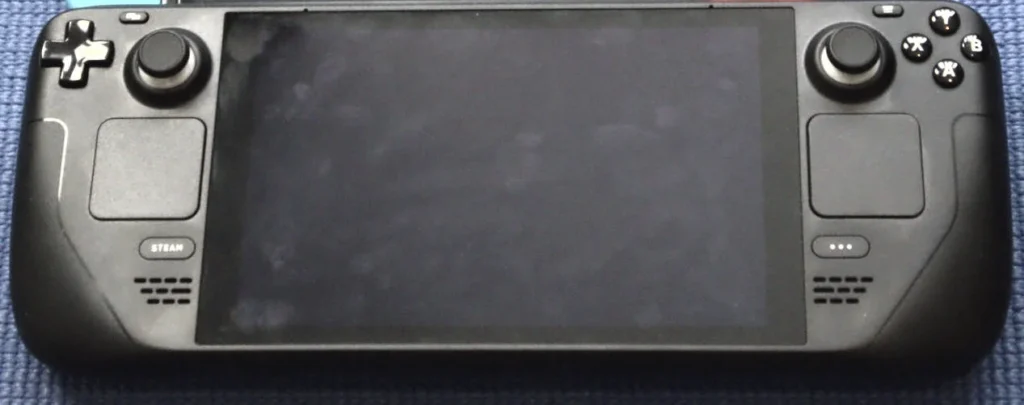
That single USB-C port is the reason a dock tops this list.
1. Valve Steam Deck Docking Station: the best dock
Best for: anyone who plays on a TV or monitor more than once a week.
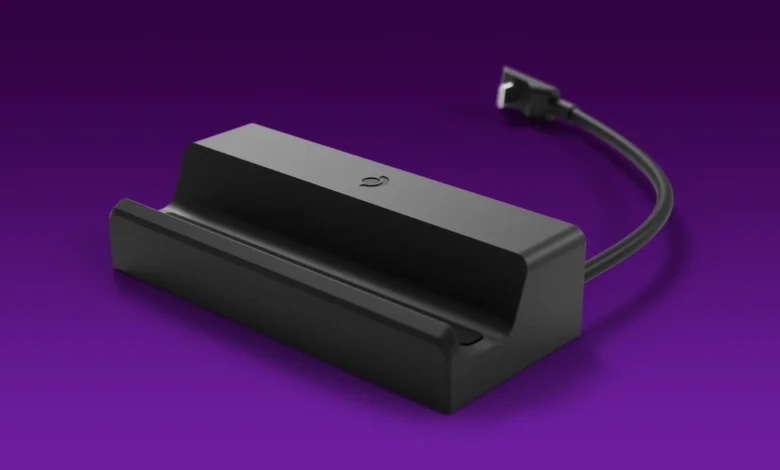
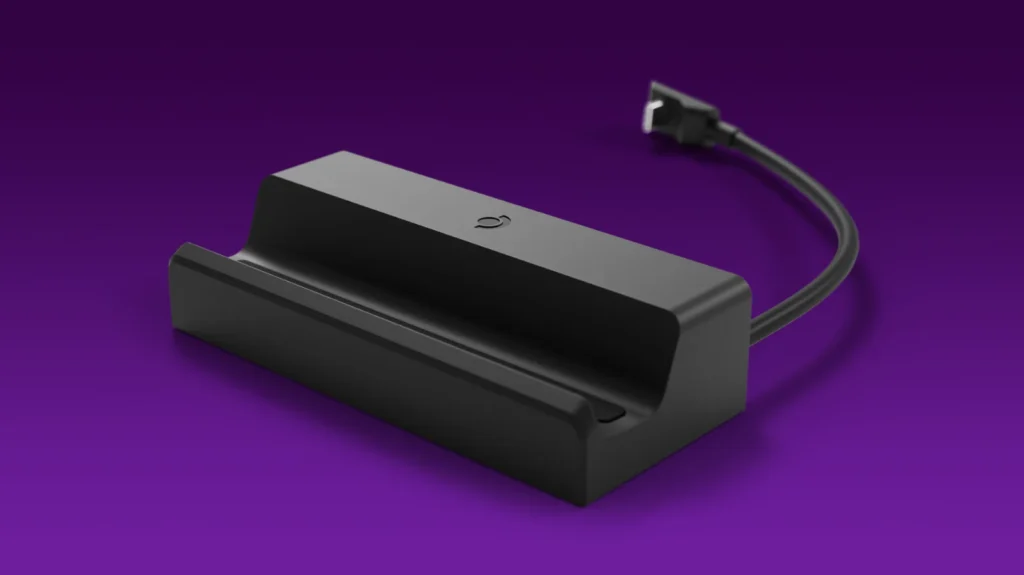
The Deck has one USB-C port, so a plain cable to the TV means it can’t charge while it plays. A dock fixes that, and Valve’s is the one built around the Deck. It sells for $79 on Steam, down from the $89 it cost when Phoronix went hands-on in 2022.
Phoronix lists the official specs: three USB-A 3.1 Gen 1 ports, Gigabit Ethernet, DisplayPort 1.4 and HDMI 2.0, with output up to 4K at 60Hz or 1440p at 120Hz, plus FreeSync and DisplayPort Multi-Stream Transport. On its dock page, Valve adds that it drives up to two external displays at a time, fits both the OLED and LCD models, and uses a flexible right-angle USB-C connector.
Why it won: it’s the only dock here designed around the Deck’s shape and charging, it runs two screens, and its Ethernet port matters more than most people expect for big downloads and game streaming.
Its weakness: HDMI 2.0 tops out at 4K 60Hz. If you want 120Hz on a 4K TV, the cheaper JSAUX below does that over HDMI 2.1. Phoronix’s verdict was blunt, too: a nice USB-C hub for the Deck, but an expensive one.
Skip it if: you play handheld almost all the time. An inexpensive USB-C to HDMI cable covers the occasional TV night, and our guide to connecting a Steam Deck to a TV walks through every option.
Where to buy: Steam Deck Docking Station on Steam.
Valve’s dock is excellent, but it’s more than most single-TV setups need.
2. JSAUX 6-in-1 Docking Station (HB0609): the best budget dock
Best for: one TV, one controller and a smaller budget.
JSAUX lists its HB0609 at $39.99 on sale, down from $45.99, on its store as of November 2026. For that you get one HDMI 2.1 port rated for 4K at 120Hz or 1080p at 240Hz, two USB-A 3.2 Gen 1 ports, a USB-C 3.2 Gen 1 data port, Gigabit Ethernet and a USB-C power input that accepts up to 100W.
Why it won: it beats Valve’s dock on the one spec that matters most for a modern living-room TV, 4K at 120Hz, for about half the price. JSAUX lists it as compatible with both Steam Deck models and most current Windows handhelds, including the ROG Xbox Ally and Legion Go 2, so it survives a handheld upgrade.
Its weakness: one display output instead of two, and JSAUX doesn’t say how much of that 100W input passes through to the handheld. Its page also notes that the bundled 65W charger can’t run the ROG Ally’s 30W Turbo mode. That’s no problem for a Deck, which charges at 45W, but it matters if you share the dock with a Windows handheld.
Skip it if: you want a desk setup with two monitors.
Where to buy: JSAUX’s store. For readers in India: Check today’s price on Amazon India.
Cable, hub or dock: which one you actually need
Docks get the attention, but they’re not the only way to put the Deck on a bigger screen. Here’s how the options compare.
| Option | What you get | Charges while connected | Best for |
|---|---|---|---|
| USB-C to HDMI cable | Video only | No, it uses the only port | Occasional TV nights |
| USB-C hub | HDMI plus USB ports, often with power input | Usually, if it has a power input | Travel |
| JSAUX HB0609 | HDMI 2.1 at 4K 120Hz, two USB-A, Ethernet | Yes, up to 100W input | One TV on a budget |
| Valve Docking Station | DisplayPort 1.4 and HDMI 2.0, three USB-A, Ethernet, two displays | Yes | Desks and TVs, built for the Deck |
Valve says its compatibility work extends to third-party hubs and docks, so a good hub isn’t a gamble. The rule of thumb: if the Deck only meets a TV on holidays, a cable is enough; if it lives there, buy a dock with power input so the battery never runs down mid-game.
The docks solve the screen. The next pick solves what you hold when the Deck is across the room.
3. Steam Controller (2026): the best controller for docked play

Best for: docked play in Steam games, especially anything that wants mouse-like aim.
Valve’s new Steam Controller launched on May 4, 2026, at $99 on Steam. It’s the closest thing to holding the Deck’s controls without the Deck: two pressure-sensitive haptic trackpads, a six-axis gyro, four grip buttons and tunnel magnetoresistance (TMR) thumbsticks, which Club386’s review says bring the drift-free benefit of Hall effect sticks with better power efficiency. It weighs 292g.
It connects through a magnetic puck that handles up to four controllers over 2.4GHz and doubles as its charging stand, or over Bluetooth. Valve claims more than 35 hours per charge, and Club386 went about 30 hours over a week of play without recharging.
Why it won: if your library lives in Steam, Steam Input maps everything the way the Deck does, so your per-game layouts carry over. No other pad here gives you trackpads and gyro together.
Its weakness: Club386 calls the missing XInput support “a glaring omission”: games outside Steam, such as Game Pass and GOG titles, get spotty support. There are no dual-stage triggers and no headphone jack, and at $99 it costs more than an Xbox or PlayStation pad. With a Deck, the puck needs a USB port, so plan on a dock or a USB-C adapter.
Skip it if: you mostly play handheld, or most of your games come from Game Pass. A standard Xbox controller over Bluetooth is cheaper and works everywhere.
Where to buy: Steam Controller on Steam.
Controllers and docks change where you play. Storage changes how much you can carry.
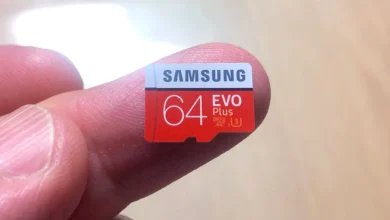
4. Samsung PRO Plus microSD: the best storage you can add in ten seconds
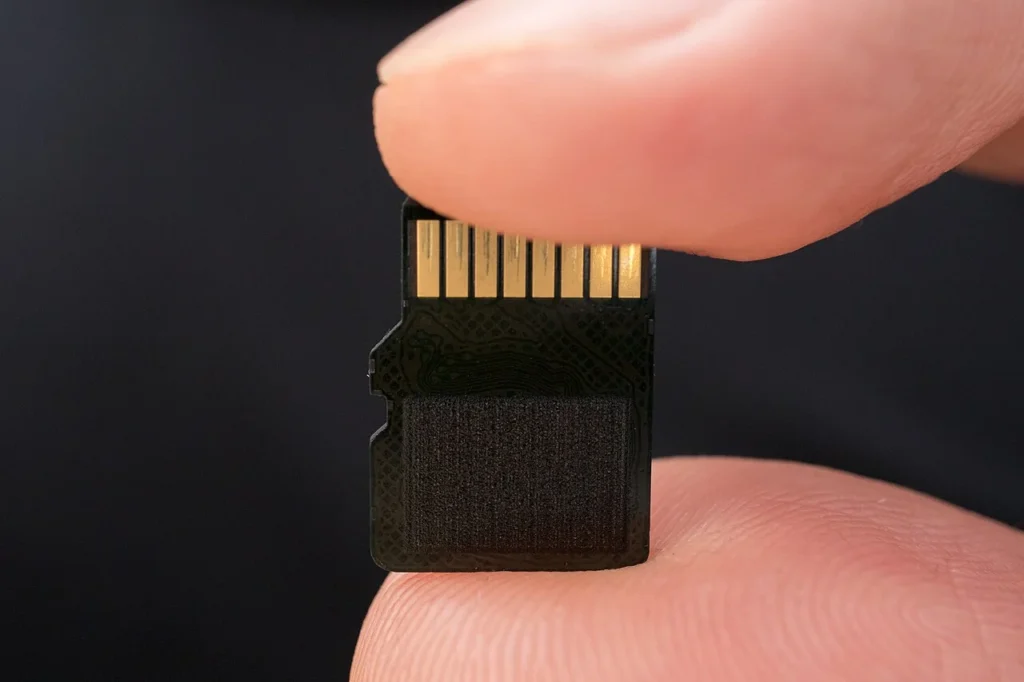
Best for: anyone who has started deleting games to make room for new ones.
The microSD slot is the cheapest upgrade the Deck has, and it takes ten seconds. Valve rates the slot UHS-I, and that ceiling matters more than anything printed on the card: speed beyond what the slot can use is money spent on nothing. Our full microSD card guide compares four picks. The short version is a 512GB or 1TB Samsung PRO Plus, rated A2, U3 and V30, with a 10-year limited warranty.
Why it won: it meets every rating that affects game loading on the Deck, comes in the capacities that make sense, and has the longest warranty of our microSD picks.
Its weakness: like every card, it’s slower than the internal SSD. Keep the games you play most on the SSD and the long tail on the card.
Skip: microSD Express cards. They cost more, and the Deck’s UHS-I slot can’t use their extra speed.
Where to buy: Samsung. For readers in India: Check today’s price on Amazon India.
If a card isn’t enough, you can go a step further and replace the drive itself.
5. WD_BLACK SN770M: the best SSD upgrade
Best for: owners who want 1TB or 2TB of fast internal storage and don’t mind 45 minutes with a screwdriver.
Every Steam Deck, LCD and OLED, takes a short M.2 2230 NVMe SSD. WD’s SN770M is a 2230 drive made for exactly this swap. Its product page lists PCIe 4.0 x4, 500GB, 1TB and 2TB capacities, sequential reads of up to 5,150 MB/s on the 1TB and 2TB models, a five-year limited warranty, and the Steam Deck among the handhelds it’s built to upgrade.
The Deck can’t use that full rated speed. What changes is space: with a 2TB internal drive, every game installs to the fast drive and nothing waits on the card.
Why it won: the right size, a maker that names the Deck as a target, and a 2TB option.
Its weakness: this is a real repair. Our step-by-step SSD upgrade guide takes 30 to 45 minutes and ends with a SteamOS reinstall, so back up anything that isn’t in Steam Cloud first.
Skip it if: opening the Deck makes you nervous. A 1TB microSD card gets you most of the space with none of the risk.
Where to buy: WD_BLACK SN770M. For readers in India: Check today’s price on Amazon India.
Storage keeps more games on the Deck. Power keeps them running away from a wall socket.
6. Anker 737 Power Bank (PowerCore 24K): the best power bank

Best for: long flights, train trips and anyone who games away from a socket.
The number to shop by is 45W. That’s what Valve’s own charger delivers, so a power bank that can’t sustain 45W over USB-C Power Delivery will charge the Deck slowly, and during a demanding game it may only slow the drain rather than refill the battery.
Anker’s 737 clears that bar with room to spare. On its product page, Anker lists 24,000mAh, up to 140W of total output, two USB-C ports and one USB-A, a weight of 630g and a price of $109.99.
At the standard 3.6V cell voltage, 24,000mAh works out to about 86Wh. That’s under the 100Wh per-battery limit the FAA sets for spare lithium batteries, which must travel in your carry-on and never in checked bags. By our math, it’s also enough for more than one full refill of the OLED’s 50Wh battery, even after normal charging losses.
Why it won: full-speed charging for the Deck, a second USB-C port for your phone, and a capacity that stays carry-on legal.
Its weakness: at 630g, it weighs about as much as the Deck itself, which Valve lists at roughly 640g.
Skip it if: you just need an extra hour on a commute. A smaller bank rated for 45W USB-C PD will do, and it’ll fit a pocket. Either way, the settings in our battery life tips cost nothing and stretch every charge.
Where to buy: Anker. For readers in India: Check today’s price on Amazon India.
With power and storage handled, the last two picks protect the hardware.
7. JSAUX Double-Decker carrying case: the best travel case
Best for: travelers who carry the Deck plus a charger, a power bank and cables.
The case in the box protects the Deck. It doesn’t hold the rest of your kit. JSAUX’s Double-Decker does: the top compartment fits the Deck, and the bottom one holds chargers, battery packs and cables behind removable dividers. In SteamDeckHQ’s review, for which JSAUX supplied the case, Noah Kupetsky called it “the best traveling case I have ever used for the Steam Deck” and scored it 9/10.
Two details from that review stand out. Pass-through holes let you charge the Deck from a power bank while it’s zipped inside, and the flap folds into a stand. The shell uses a water-resistant, shockproof felt.
Its weakness: size. The same review calls it very bulky, so it’s a bag-and-suitcase case, not a jacket-pocket one.
Skip it if: you only carry the Deck. Valve’s included case already does that job.
Where to buy: JSAUX. For readers in India: Check today’s price on Amazon India.
8. GuliKit Hall effect sticks: the best fix for stick drift
Best for: owners whose thumbsticks have started to drift.
Stick drift is a common controller failure, and the Deck isn’t immune. Our stick drift guide covers the free fixes first. When recalibration stops helping, magnetic sticks are the permanent repair. GuliKit makes Hall effect replacements for both models, and SteamDeckHQ reported the OLED version in May 2024, after finding GuliKit’s LCD version “relatively easy to install.”
Why it won: Hall effect sticks read their position with magnets instead of a physical contact that wears down, which is the usual cause of drift.
Its weakness: SteamDeckHQ noted that GuliKit’s sticks may have a square-ish active zone rather than a round one, and fitting them means opening the Deck. Check your warranty status before you start.
Skip it if: your sticks are fine. This is a repair part, not an upgrade you’ll notice.
Where to buy: GuliKit. For readers in India: Check today’s price on Amazon India.
Three budgets, three kits
Most people don’t need all eight. Here’s how the picks group by what you’re trying to fix, using the makers’ listed prices where they publish one.
- Under $50, the TV kit: the JSAUX HB0609 at $39.99 on sale. Add a controller you already own over Bluetooth, and the Deck becomes a small console.
- Around $80 to $180, the desk kit: Valve’s $79 dock, plus a microSD card at whatever capacity your library needs. If you play in Steam on a big screen often, the $99 Steam Controller completes it.
- Around $110 and up, the travel kit: the Anker 737 at $109.99, plus the JSAUX Double-Decker if you carry chargers and cables.
The cheapest accessory with the biggest effect is still free: lowering the frame limit and screen brightness extends battery life more than you’d guess, and our performance settings guide shows the trade-offs.
How we chose and tested
We picked each accessory against the Deck’s own limits: its one USB-C port, its 45W charging, its UHS-I card slot and its M.2 2230 drive bay. Then we checked every product against its maker’s current spec page and price, and leaned on credited hands-on testing where it exists: Phoronix on Valve’s dock, Club386 on the Steam Controller, and SteamDeckHQ on the JSAUX case and GuliKit sticks.
We haven’t run these accessories through our own Handheld Lab tests yet, and we’d rather tell you that than pretend. When we do, the results go on our YouTube channel first and into this guide after. Prices are the makers’ listed prices as of November 2026, and they change often.
What to avoid
- microSD Express cards. The Deck’s slot is UHS-I, so the extra speed you pay for goes unused.
- Power banks under 45W USB-C PD. They charge slowly and can fall behind a demanding game.
- Cut-down SSDs. Some guides suggest trimming longer 2242 drives to fit. Valve advises against it, as our SSD guide explains. Buy a true 2230 drive.
- Power banks in checked luggage. Spare lithium batteries belong in your carry-on, and anything over 100Wh needs airline approval, according to the FAA.
- A second charger or a basic case for an OLED Deck. Both are already in the box.
Buying these in India
Valve doesn’t sell the Steam Deck in India, so most Indian owners import one and live without an official warranty, as Outlook Respawn reported in July 2026. Valve sells its dock and controller through the same Steam hardware store, so plan on importing those too, with the same warranty gap.
The rest of this list is easier. microSD cards, M.2 2230 SSDs, power banks, third-party docks and cases are sold by local retailers, which means rupee prices, local returns and no customs surprises. That’s why each of those picks carries an Amazon India link next to the maker’s own store. Check the exact model number and the seller before you buy, because listings that look alike can differ in capacity, rating or warranty.
If you’re importing a Deck anyway, add the dock to the same order rather than shipping it separately. One import is one round of fees and one wait, and the dock is the accessory you’re most likely to want on day one.
Frequently asked questions
Does the Steam Deck come with a case?
Yes. Valve lists a carrying case in the box with both OLED models, and the 1TB model’s case adds a removable liner. You only need another case if you want in-hand protection or room for more gear.
Can I use any USB-C hub as a Steam Deck dock?
Most work. Valve says its compatibility work extends to third-party hubs and docks. Look for HDMI 2.0 or better and a USB-C power input, so the Deck can charge while it’s connected.
What power bank can charge a Steam Deck?
Any power bank that can deliver 45W over USB-C Power Delivery will charge it at full speed, because that’s what Valve’s own charger supplies. Lower-rated banks still work, just more slowly.
Does the new Steam Controller work with the Steam Deck?
Yes, through its puck plugged into a USB port on a dock or adapter, or over Bluetooth. Inside Steam it works like the Deck’s own controls. Outside Steam, reviewers found support spotty because it lacks XInput.
The small extras you don’t need to research
A few accessory questions have one-line answers. Any wired headphones work in the 3.5mm jack, and Bluetooth 5.3 handles wireless ones. A keyboard and mouse plug into a dock’s USB-A ports for Desktop Mode. Valve’s charger comes on a 2.5m cable, which reaches most couches, so an extension cable rarely earns its place in the bag. And if your Deck lives by a TV, the dock’s Ethernet port is the easy upgrade for big downloads and game streaming.
Who shouldn’t buy accessories yet
If you’re still deciding whether to buy a Deck at all, settle that first: our page on whether the Steam Deck is still worth it does the math at today’s $789 price. If you’re weighing a different handheld, most of these picks carry over. The JSAUX dock, the microSD card and the power bank all work with the Steam Deck alternatives we recommend.
The Deck’s limits are easy to list: one port, one card slot, one battery. Fix the one that bothers you this month, and leave the rest of the list until it does.