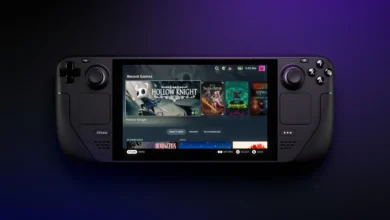
For three years, the Steam Deck’s best argument was its price. On May 26, 2026, Valve added $240 to it overnight, and the handheld that made every rival look expensive started to look like one of them.
Short answer: for most people, the best Steam Deck alternative in 2026 is the ROG Xbox Ally X if you want more power and Game Pass, or the Nintendo Switch 2 if you want Nintendo’s games for less money. If most of your games are on Steam, the Steam Deck OLED is still the one to beat.
How this post was made: researched and written with Claude, an AI assistant, checked against the sources linked in this post, and overseen by Nersing Pradhan. How we make NP Handhelds
As an Amazon Associate, NP Handhelds earns from qualifying purchases. Some links on this page are affiliate links; they never change a pick, and our affiliate disclaimer explains how it works.
Top photo: ROG Xbox Ally X by Kyu3a, CC BY-SA 4.0, via Wikimedia Commons.
The quick picks
Prices are list prices as of late October 2026, with the source and date for each further down. Handheld prices moved several times this year, so check today’s price before you buy.
| Pick | Best for | Price | System |
|---|---|---|---|
| ROG Xbox Ally X | More power, Game Pass | About $999 | Windows 11 |
| Nintendo Switch 2 | Nintendo games, families | $499 | Nintendo |
| ROG Xbox Ally | The cheapest new Windows handheld | Launched at $599.99 | Windows 11 |
| Lenovo Legion Go S (SteamOS) | SteamOS without a Steam Deck | $650 to $900 | SteamOS |
| Lenovo Legion Go 2 | The biggest screen | SteamOS model announced at $1,199 | SteamOS or Windows |
| ROG Xbox Ally X20 | OLED and the most power | $1,299 | Windows 11 |
| Steam Machine | Playing on a TV instead | $1,049 | SteamOS |
| Steam Deck OLED (the benchmark) | Steam players | $789 | SteamOS |
That’s a lot of choice for one question. The good news is that most people can rule out half the table in one step, and the next section shows how.
Why this got harder in 2026
Valve raised the 512 GB Steam Deck OLED from $549 to $789 and the 1 TB model from $649 to $949, Game Informer reported, citing “component costs and other global logistical challenges.” The cheaper LCD model is gone too, except on the used market.
Valve wasn’t alone. Nintendo is raising the Switch 2 from $449 to $499 from September 1, 2026, and Tom’s Hardware put it bluntly: “Memory and storage are significantly overpriced.” Lenovo’s prices climbed even faster. PCWorld found the Windows Legion Go 2 had gone from $1,349.99 at launch to $1,999.99 in April 2026, a jump of $650 in under six months, which it blamed on the AI-driven memory crunch.
Here’s the part that surprises people: the Steam Deck, the handheld that used to undercut everything, now costs more than the ROG Xbox Ally did at launch. So the real question isn’t “what’s cheaper than a Deck?” It’s “what will you actually play?” That’s how we chose.
How we chose and tested
We judged each handheld on four things, in this order:
- What it plays. SteamOS runs your Steam library with the least fuss. Windows runs almost everything, including Game Pass and anti-cheat shooters, with more setup. A Switch 2 runs Nintendo’s library and nothing else.
- Price, as a list price with its date and source, and what it costs per month over three years.
- Performance and battery, taken from the makers’ spec sheets and from reviews we name and link.
- Screen and comfort, because you’ll look at it and hold it for hours.
Prices are US list prices unless we say otherwise. In India and other countries where Valve doesn’t sell the Deck, import markups change the math, and we’ll cover that in a separate guide. We haven’t tested every handheld on this list ourselves. Where you see a frame rate or a battery time, it comes from the outlet named next to it. Nersing’s own live tests go up on the NP Handhelds YouTube channel, and we add his numbers here as they arrive.
First, the handheld everything here is measured against.
The benchmark: what $789 gets you on a Steam Deck OLED
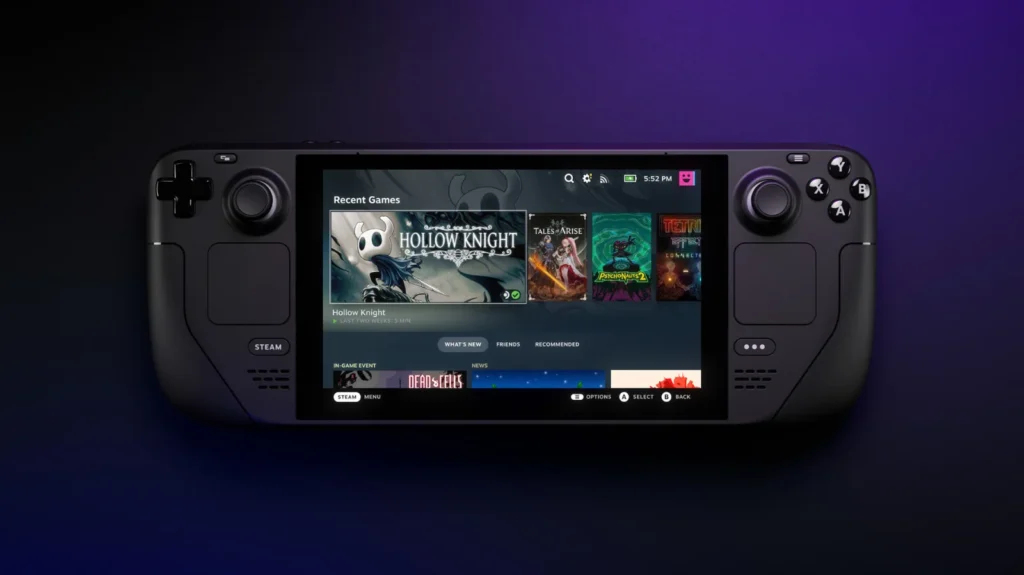
Valve’s spec sheet explains why the Deck is still the reference point. The screen is a 7.4-inch HDR OLED at 1280 x 800 and up to 90Hz, rated at 1,000 nits peak brightness in HDR and 600 nits in standard content. The battery is 50Wh, which Valve rates at 3 to 12 hours of play depending on the game. It weighs about 640 g, has 16 GB of LPDDR5 memory, Wi-Fi 6E, and a chip that runs between 4 and 15 watts.
Fifteen watts is the number to remember. The Deck was designed around a low power budget, which is why it stays cool, quiet and long-lasting in indie and older games, and why recent big-budget games often need low settings. Every alternative below is, in one way or another, a different answer to that trade-off: more watts and more performance, a bigger screen, a different library, or no battery at all.
The other thing the Deck gives you isn’t on the spec sheet. SteamOS suspends and resumes like a console, Valve’s Verified ratings tell you which games run well before you buy them, and the Deck’s 1280 x 800 screen means it isn’t wasting power on pixels a 7-inch display barely shows.
Now, the first handheld worth your money if you’ve outgrown it.
1. ROG Xbox Ally X: the best alternative for more power
The ROG Xbox Ally X is what you buy when the Steam Deck’s performance is the problem. ASUS’s spec sheet lists AMD’s Ryzen AI Z2 Extreme with eight cores, 24 GB of LPDDR5X memory, a 1 TB SSD and a 7-inch 1080p screen at 120Hz with variable refresh rate. It has an 80Wh battery, against the Deck OLED’s 50Wh.
That bigger battery shows. In Tom’s Guide’s gaming battery test, the Ally X lasted 3 hours and 4 minutes, against 2 hours and 28 minutes for the cheaper Ally.
It runs Windows 11 with Microsoft’s Xbox full screen experience, so Game Pass, the Xbox app and anti-cheat games such as Fortnite and Valorant all work natively. If you’d rather have SteamOS, YouTuber ETA Prime got it running on the Ally X unofficially, reporting upwards of 50 frames per second in Cyberpunk 2077 and Elden Ring and about three hours of battery at 25W, Pocket Tactics reported. That’s one creator’s test on an unsupported setup, so treat it as a promising sign rather than a promise.
Price: about $999. The X20 below costs $1,299, and Pocket Tactics says that’s $300 more than the Ally X.
Its weakness: at 715 g it’s heavier than the 640 g Deck OLED, its IPS screen can’t match an OLED’s contrast, and Windows still needs more tinkering than SteamOS.
Buy it if you want the most performance under $1,000, or you play Game Pass. Skip it if most of your games are on Steam and run fine on a Deck.
Check today’s price at ASUS · Check today’s price on Amazon India
If that’s more handheld than you need, the next pick costs half as much and plays a completely different set of games.
2. Nintendo Switch 2: the best alternative for Nintendo games
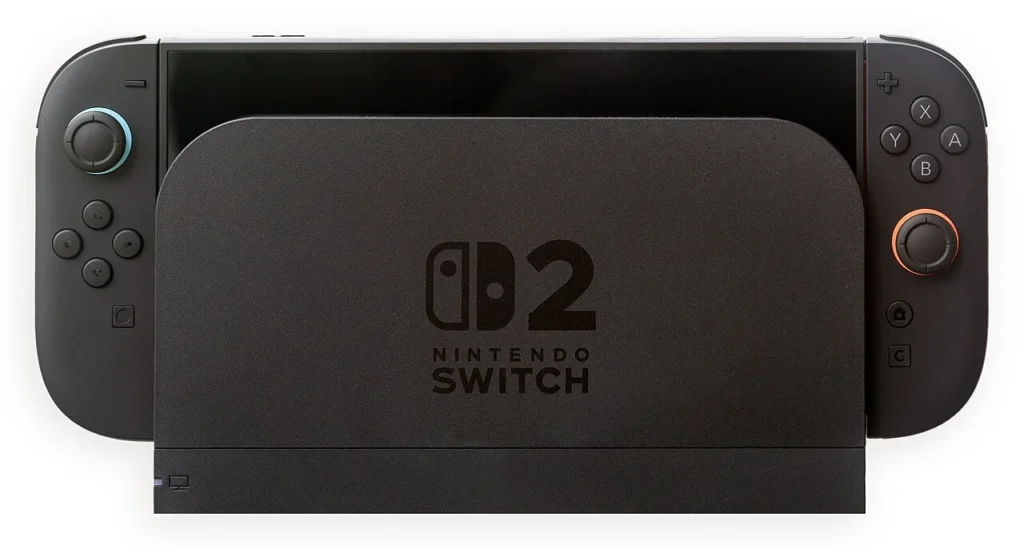
The Switch 2 isn’t a PC, and that’s the point. It’s the only place to play new Mario, Zelda and Pokémon games, it plays most original Switch games, and its dock comes in the box.
Price: $499 from September 1, 2026, up from $449, according to Tom’s Hardware. Nintendo lists a Mario Kart World bundle at $549.99 and a Nintendo Switch Sports Resort bundle at $529.99.
What you give up: your Steam library, deep Steam sales, mods and other PC stores. Online play needs a Nintendo Switch Online subscription, while Steam online play is free. Nintendo’s own games also rarely drop much in price, so the cheaper console can cost more over a few years of buying games.
Buy it if you love Nintendo’s games, buy for kids, or mostly play on a TV. Skip it if you want PC games. Our Steam Deck vs Switch 2 comparison goes deeper on that choice.
Check the Switch 2 at Nintendo
Want Windows instead, for less than a Steam Deck? That’s the next one.
3. ROG Xbox Ally: the cheapest new Windows handheld
The regular ROG Xbox Ally uses AMD’s Ryzen Z2 A with 16 GB of memory, a 512 GB SSD, the same 7-inch 1080p 120Hz screen as the Ally X and a 60Wh battery, according to Pure Xbox’s spec rundown. It weighs 670 g.
Tom’s Guide found its chip “pretty much identical” to the Steam Deck’s, saw Forza Horizon 5 at about 40 frames per second at 720p on low settings, and concluded that at $599.99 it was “a huge investment for dated performance” that “should cost $400 based on its performance.”
Prices have moved since. In June 2026, Windows Central spotted it at £379.99 in the UK, down from £449.99, with three months of Game Pass Premium included. If deals like that reach your country, it’s the cheapest way into Windows handheld gaming.
Its weakness: Steam Deck-level performance with Windows’ extra setup, and an IPS screen instead of OLED.
Buy it if you want Game Pass on a budget and can find it discounted. Skip it if you mainly play Steam games; at similar performance, the Deck’s SteamOS is easier to live with.
Check today’s price at ASUS · Check today’s price on Amazon India
If what you like about the Deck is SteamOS itself, Lenovo now sells it on its own hardware.
4. Lenovo Legion Go S with SteamOS: SteamOS without the Steam Deck
The Legion Go S was the first handheld from another company to ship with SteamOS, so it feels much like a Deck in use: the same interface, quick suspend and resume, and Valve’s Verified ratings.
Price: PCWorld listed the SteamOS model at $650 with a Z2 Go chip, 16 GB and 512 GB, up from $600 at launch, and at $900 with a Z1 Extreme chip, 32 GB and 1 TB, up from $830.
Its weakness: the price rises erased much of its value advantage, and it doesn’t have the Deck OLED’s screen.
Buy it if you want SteamOS with more memory and storage than a Deck, or prefer Lenovo’s ergonomics. Skip it if you can get a Deck OLED for a similar price.
Lenovo also makes the biggest handheld on this list, and it now comes with SteamOS too.
5. Lenovo Legion Go 2: the biggest screen
The Legion Go 2 has an 8.8-inch OLED screen at 1920 x 1200 and 144Hz, AMD’s Z2 Extreme, up to 32 GB of memory, a 74Wh battery and detachable controllers. Lenovo announced a SteamOS version starting at $1,199 for June 2026, Tom’s Guide reported, with a dedicated Steam button.
Pricing is the catch. The Windows model launched at $1,349.99 and was listed at $1,999.99 in April 2026, according to PCWorld. Check the current price carefully before you buy.
Its weakness: it’s big, and its price has been the least stable of any handheld here.
Buy it if you want the largest, sharpest screen and detachable controllers. Skip it if you play on the move or on a budget.
One handheld costs even more, and it’s the one that finally pairs the Ally X’s power with an OLED screen.
6. ROG Xbox Ally X20: OLED and the most power
The X20 combines the Ally X’s Ryzen AI Z2 Extreme and 24 GB of memory with a 7.4-inch OLED screen. It costs $1,299, or $2,499.99 bundled with ROG XREAL R1 gaming glasses, Pocket Tactics reported when pre-orders opened in August 2026.
Its weakness: $510 more than a Steam Deck OLED and $300 more than the Ally X, for a screen upgrade.
Buy it if you want the best Windows handheld and the price isn’t a problem. Skip it if an Ally X or a Deck would do. Our ROG Xbox Ally X20 vs Steam Deck comparison breaks down that $510.
Before you spend that much on a handheld, ask yourself one honest question: do you actually play away from the TV?
7. Steam Machine: when the real alternative is your TV
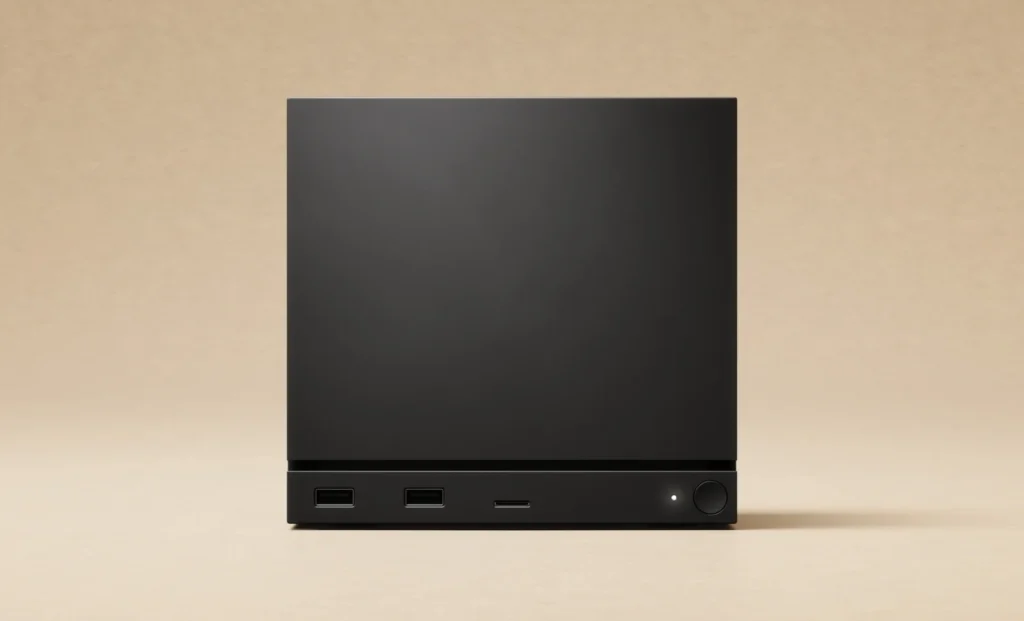
If you mostly play on the couch, Valve’s Steam Machine may be the better buy. It’s a small SteamOS PC for your TV at $1,049 with 512 GB or $1,349 with 2 TB, and Valve began selling it on June 30, 2026, through a registration list, Notebookcheck reported.
Its weakness: it doesn’t move. You still need a handheld for the bus.
Buy it if you play on a TV and want much better graphics than a Deck can manage. Skip it if portability is the point. See our Steam Machine vs Steam Deck comparison.
Seven alternatives. Before the prices, two differences that matter more than the spec sheets suggest.
SteamOS or Windows: what changes day to day
The biggest difference between these handhelds isn’t the chip. It’s the software you’ll live with.
SteamOS (Steam Deck, Legion Go S, Legion Go 2 SteamOS, Steam Machine) boots straight into Steam. Press the power button and the game you were playing comes back in seconds. Valve tests games and labels them Verified or Playable, so you know what to expect, and updates arrive through Steam without fuss. The catch is anything outside Steam: other stores need extra setup, Game Pass only works through cloud streaming, and some online games with strict anti-cheat don’t run at all.
Windows 11 (ROG Xbox Ally, Ally X and X20, Legion Go 2 Windows) runs nearly every PC game and store, including Game Pass, Battle.net and anti-cheat shooters. Microsoft’s Xbox full screen experience makes it feel more like a console than Windows handhelds used to; Tom’s Guide called it “slick.” But Windows is still Windows. Expect more updates, more settings and the occasional driver hunt.
A simple rule: if more than a few of your favorite games sit outside Steam, Windows earns its extra fiddliness. If nearly everything you play is on Steam, SteamOS will give you more time playing and less time managing.
Screens, batteries and storage side by side
| Steam Deck OLED | ROG Xbox Ally | ROG Xbox Ally X | ROG Xbox Ally X20 | Legion Go 2 | |
|---|---|---|---|---|---|
| Screen | 7.4-inch OLED, 1280 x 800, 90Hz | 7-inch IPS, 1080p, 120Hz | 7-inch IPS, 1080p, 120Hz, VRR | 7.4-inch OLED | 8.8-inch OLED, 1920 x 1200, 144Hz |
| Memory | 16 GB | 16 GB | 24 GB | 24 GB | Up to 32 GB |
| Storage | 512 GB or 1 TB | 512 GB, M.2 2280 | 1 TB, M.2 2280 | Not listed in our sources | Not listed in our sources |
| Battery | 50Wh | 60Wh | 80Wh | Not listed in our sources | 74Wh |
| Weight | About 640 g | 670 g | 715 g | Not listed in our sources | Not listed in our sources |
Sources: Valve, Pure Xbox, ASUS, Pocket Tactics and Tom’s Guide.
Three things stand out once they’re side by side.
Resolution costs power. The Ally range and the Legion Go 2 have sharper screens than the Deck, but driving 1080p or more takes more graphics power, so many demanding games run below the screen’s native resolution and get upscaled. Tom’s Guide tested Forza Horizon 5 on the regular Ally at 720p, not 1080p. On a 7-inch screen, the Deck’s lower resolution is a sensible trade rather than a weakness.
Battery size isn’t battery life. The Ally X’s 80Wh battery is the largest here, and it lasted longer than the regular Ally in Tom’s Guide’s test. But a handheld running at 25 or 30 watts will empty any battery faster than a Deck capped at 15. If long sessions away from a socket matter most, the efficient OLED Deck is still hard to beat.
Storage is easier to upgrade on the Ally. ASUS fits the Ally and Ally X with full-size M.2 2280 SSDs, which are easier to find and often cheaper per terabyte than the short 2230 drives the Deck needs. The Ally X also has a UHS-II microSD reader, faster than the Deck’s UHS-I slot. If you plan to fill a terabyte with big games, that’s worth something. On a Deck, a fast microSD card or a bigger internal SSD does the job.
Specs are only half of it. The other half is what you pay, month after month.
The money question: what each one costs per month
A handheld is something you’ll own for years, so divide the price by the time you’ll use it. Over three years, hardware alone works out like this:
| Handheld | Price | Per month over 3 years |
|---|---|---|
| Nintendo Switch 2 | $499 | About $13.86 |
| ROG Xbox Ally (launch price) | $599.99 | About $16.67 |
| Steam Deck OLED 512 GB | $789 | About $21.92 |
| ROG Xbox Ally X | About $999 | About $27.75 |
| Steam Machine 512 GB | $1,049 | About $29.14 |
| Legion Go 2 SteamOS (announced price) | $1,199 | About $33.31 |
| ROG Xbox Ally X20 | $1,299 | About $36.08 |
The hardware is only half the bill. A Switch 2 adds Nintendo Switch Online for online play and full-price Nintendo games. A Windows handheld makes the most sense with Game Pass, which is another subscription. A SteamOS device leans on Steam, where heavy discounts are routine. If you buy a few games a year on sale, the gap between a $499 console and a $789 Deck can close faster than the sticker prices suggest.
The price of waiting
The usual advice is to wait for a price drop. In 2026, that advice cost people money. The Steam Deck, the Switch 2 and the Legion Go range all went up this year, not down, and the reason was the same each time: memory and storage prices.
Waiting for a Steam Deck 2 isn’t a plan either. Valve hasn’t announced it, and in September 2026 Valve engineer Pierre-Loup Griffais said the company was still deciding “how and when” to deliver it, PC Guide reported. Our Steam Deck 2 tracker has everything Valve has said.
There are two exceptions worth watching. Valve has discounted the Deck during past Steam seasonal sales, and Windows handhelds turn up in retailer deals, as the Ally’s UK discount shows. If you’re not in a hurry, set a price alert, decide your ceiling, and buy when a deal crosses it, rather than waiting for prices to return to 2025 levels.
What to avoid
- Out-of-stock models at inflated prices. When a handheld sells out, third-party sellers often list it far above the maker’s price. Check the maker’s own store first.
- A used handheld you haven’t checked. Test the sticks for drift, check the battery, and make sure the seller has reset it. Our stick drift guide and factory reset guide show what to look for on a Deck.
- Buying for one game. If one anti-cheat shooter is the reason you’re shopping, check that game’s support on your shortlist first. Battlefield 6, for example, is blocked on every SteamOS device.
Already own a Steam Deck? Read this before you upgrade
If you’re reading this with a Deck in your hands, the question is different: is anything here worth the jump? Often, the answer is a cheaper fix.
- If a few big games run badly, streaming them from a gaming PC, or through a cloud service, costs far less than a new handheld and often looks better.
- If you’re out of space, a fast microSD card or a bigger internal SSD solves it for a fraction of the price of a new device.
- If one anti-cheat game is the problem, a cloud service or a console may fix that single game for less than a Windows handheld.
- If you want Game Pass, more power across the board, or a bigger screen, that’s when an Ally X, X20 or Legion Go 2 earns its price.
Selling a Deck in good condition also softens the cost of moving up, and a well-kept OLED holds its value better than most handhelds.
Who should buy what
- You have about $500 and love Nintendo: the Switch 2.
- You have about $500 and play on Steam: a used Steam Deck LCD in good condition.
- You have about $800 and play on Steam: the Steam Deck OLED. Our verdict on whether the Deck is worth $789 explains why.
- You live in Game Pass: the ROG Xbox Ally X, or the regular Ally if you find a deal.
- Money is no object: the ROG Xbox Ally X20, or the Legion Go 2 if you want a bigger screen.
- You mostly play on a TV: the Steam Machine.
Frequently asked questions
What is the best Steam Deck alternative in 2026?
For most people, the ROG Xbox Ally X for more power and Game Pass, or the Nintendo Switch 2 for Nintendo’s games. If you mostly play Steam games, the Steam Deck OLED is still the easiest to live with.
Is there a cheaper alternative to the Steam Deck?
New, the Switch 2 at $499 is cheaper, and the ROG Xbox Ally launched at $599.99 and has been discounted in some countries. Used, a Steam Deck LCD is often the cheapest way to play your Steam library.
Can other handhelds run SteamOS?
Yes. Lenovo sells the Legion Go S and Legion Go 2 with SteamOS. Other Windows handhelds can run it unofficially, but with no guarantee everything works.
For three years, the Deck’s price did the arguing. In 2026, the games you play have to do it instead.